Live for restaurants, cafes and pharmacies. Retail and clinics next.
One POS for every business you run
Billing, orders, stock and staff in one simple app, with Bikram Sambat dates and Fonepay built in. Works on the phones, tablets and computers you already have.
- No new hardware
- Set up the same day
- Nepali and English
Real screens from Uni POS
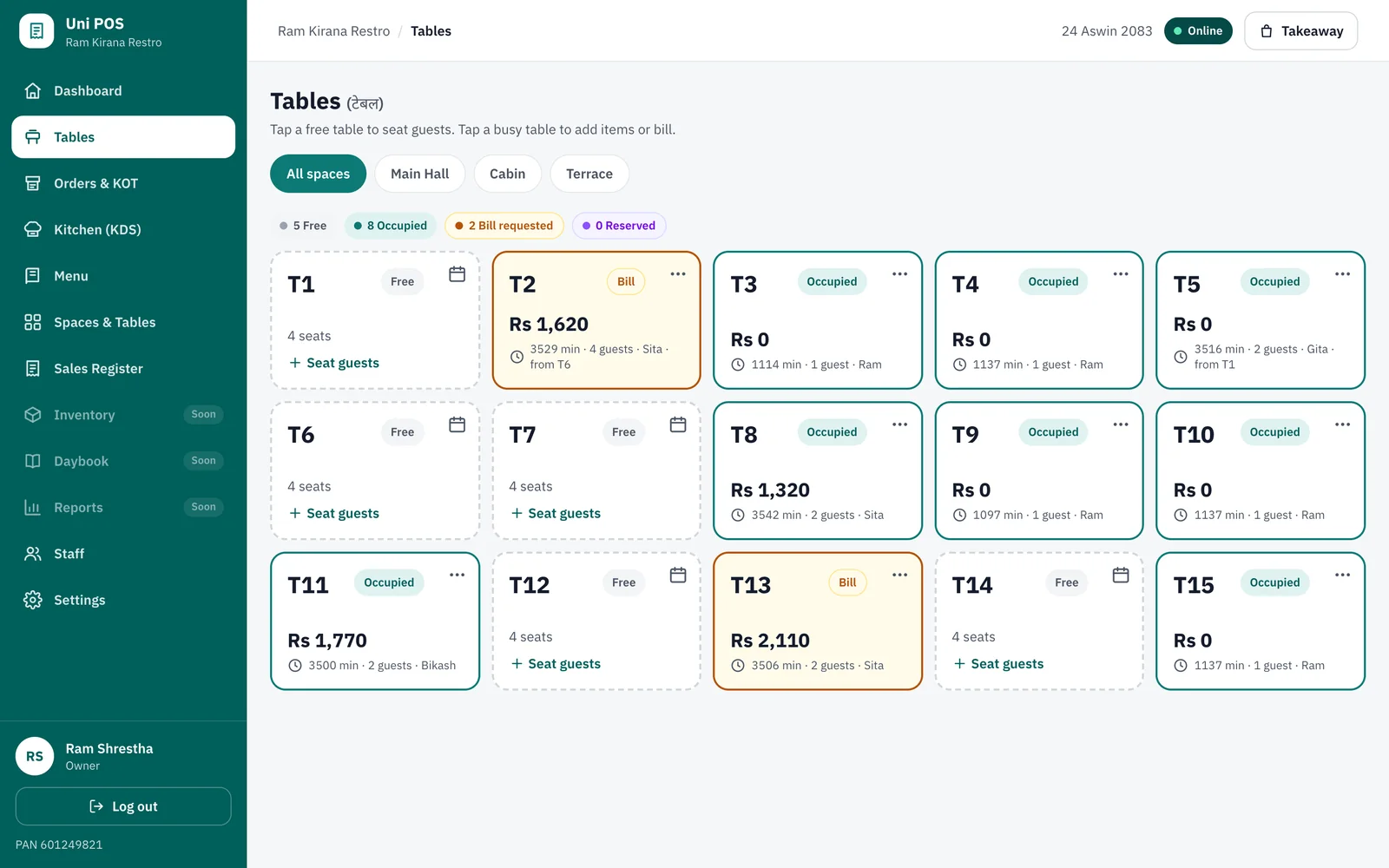
- Itemised bills, tax worked outLocked once issued, reprints marked
- Bikram Sambat datesFiscal-year numbering
- Fonepay, bank QR, cash, khataQR on screen, change worked out
- Phone, tablet or PCAndroid and iPhone apps soon
Solutions
Made for the way your business works
Pick your business type and Uni POS switches on the screens you need. Run more than one business? Use one login for all of them.
Run your restaurant from one simple screen
Take orders at the table, send tickets to the kitchen and print clear bills with Bikram Sambat dates. Uni POS works on the phones and tablets you already have.
- Live table board. Free, occupied, waiting for the bill or reserved. Seat guests in one tap.
- KOT straight to the kitchen. Waiters punch orders on a phone. Tickets reach the right station in a second.
- Kitchen display. New, Cooking and Ready columns with timers and cooking notes.
Faster billing and honest stock for your shop
Scan or search items, bill in seconds and always know what is on the shelf. Keep customer khata on the same screen.
- Barcode and quick search. Scan with a phone camera or USB scanner, or type a few letters.
- Stock that matches the shelf. Purchases add stock, sales reduce it, and low-stock alerts warn you in time.
- Customer khata. Give credit to regulars, take part payments and send reminders.
Shown: screens every business type already shares. Retail-specific screens are in development.
See what is coming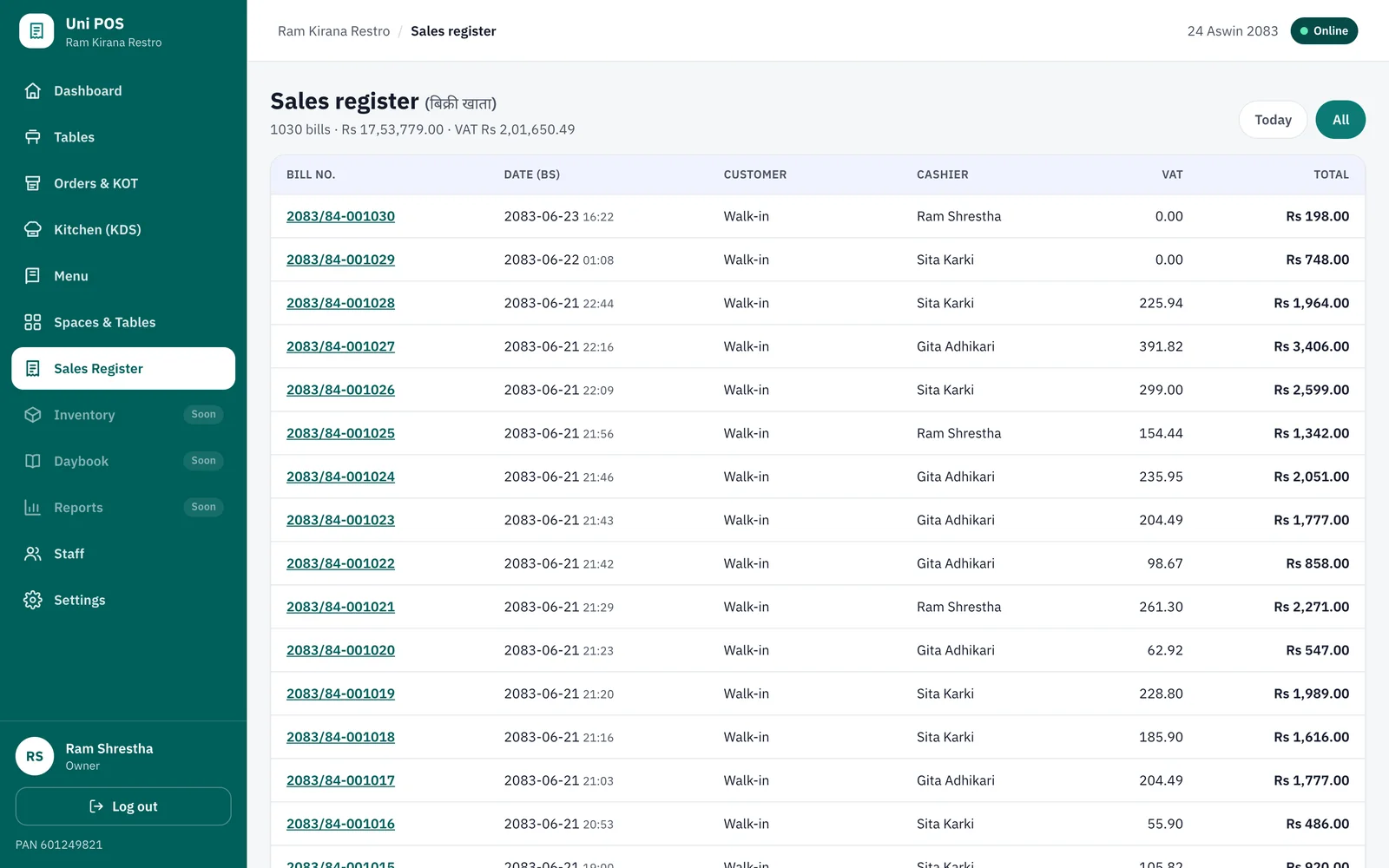
Every batch, expiry date and prescription under control
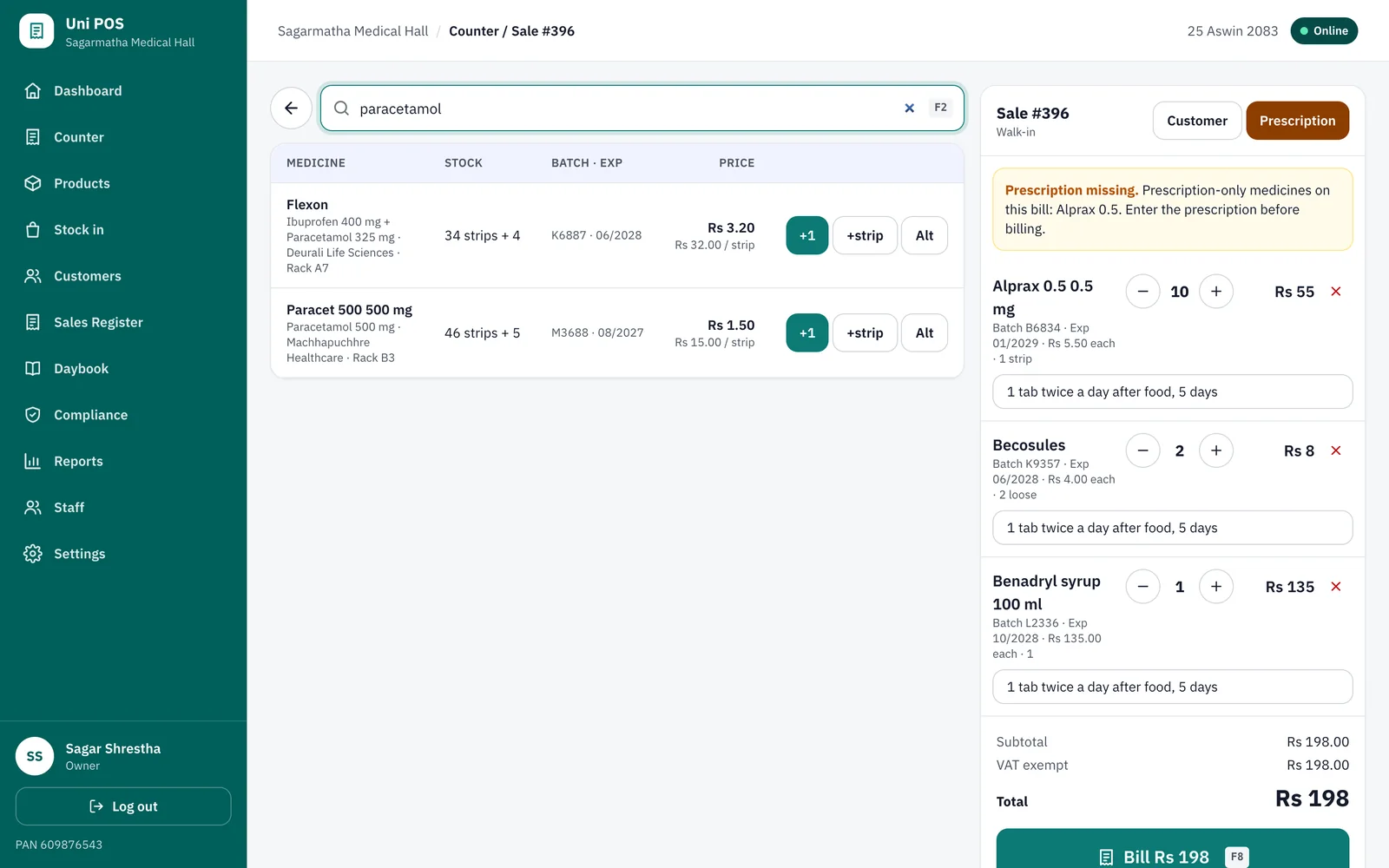
Find medicines by brand or composition, sell the earliest batch first, record the prescription and print a bill that shows batch, expiry and dose. Expiry and narcotic registers are ready for the inspection.
- Expiry control. The earliest batch sells first. Nothing sells from its expiry month, and you see what expires in 30, 60, 90 or 180 days.
- Batch-wise stock. Receive supplier bills with batch, expiry, free goods and MRP. Trace every strip back to its bill.
- Prescriptions. Prescription-only medicines ask for the doctor, patient and prescription number. Choose to warn or to block without one.
Simple billing for OPD, lab and services
Register patients, bill consultations, lab tests and services, and keep the hospital pharmacy on the same system.
- Patient registration. A patient ID and visit history for every person who walks in.
- OPD tokens and queue. Tokens by doctor or department so the waiting room stays calm.
- Services and lab billing. Consultations, lab tests and procedures billed as services.
Shown: screens every business type already shares. Clinic-specific screens are in development.
See what is coming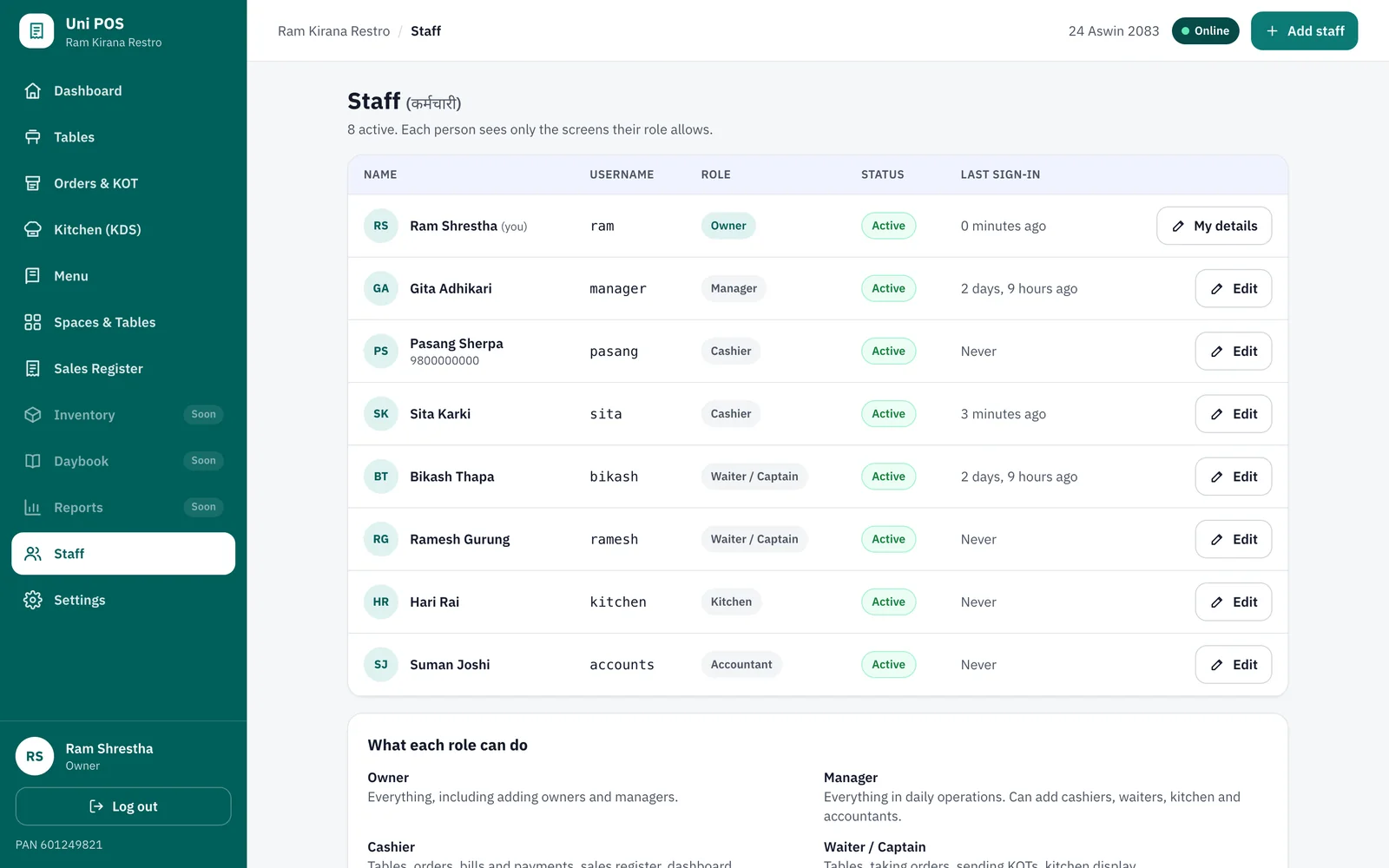
Restaurant mode, live today
From the table to the till
Every screen below is the real app with demo data, not a drawing.
-
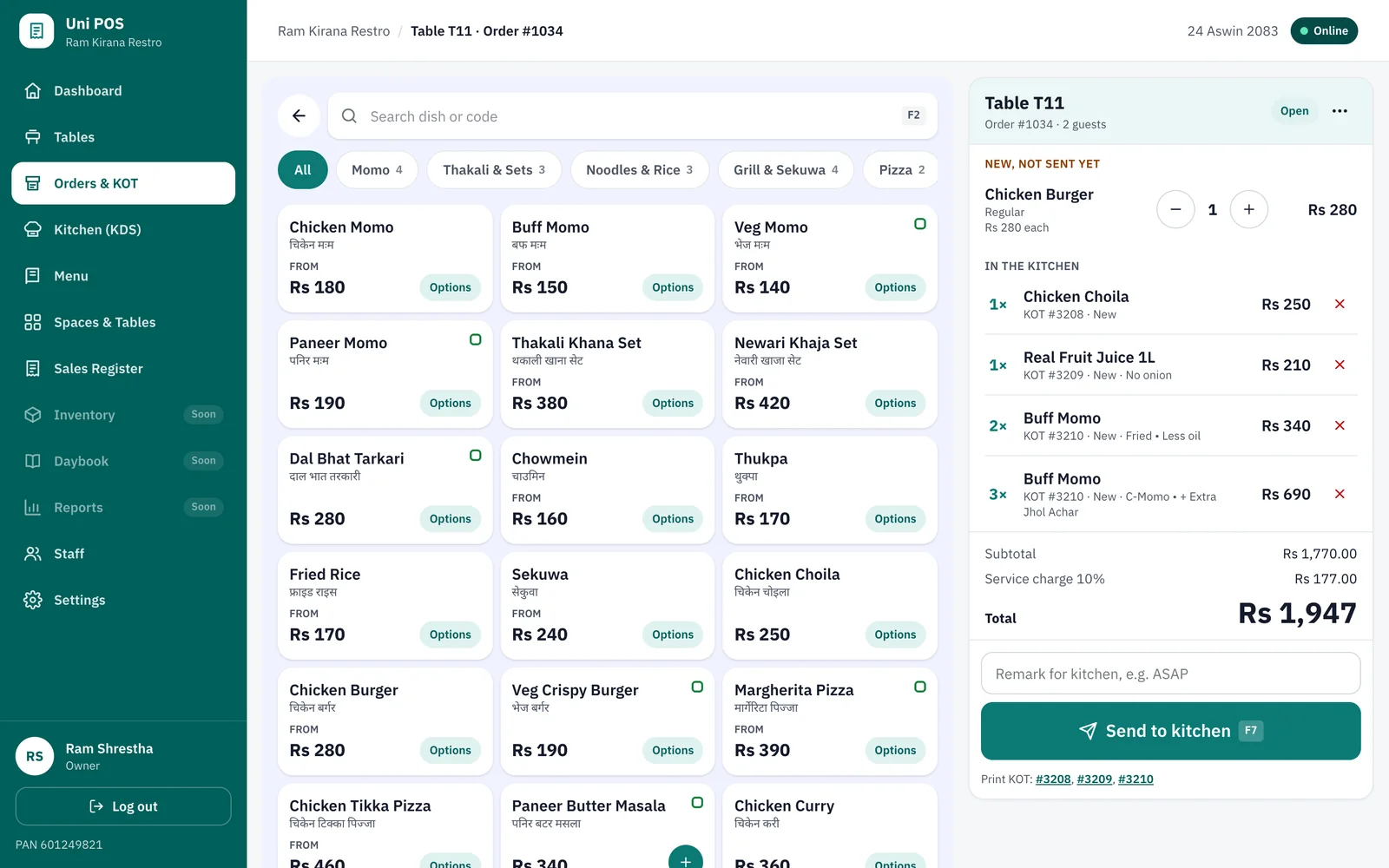
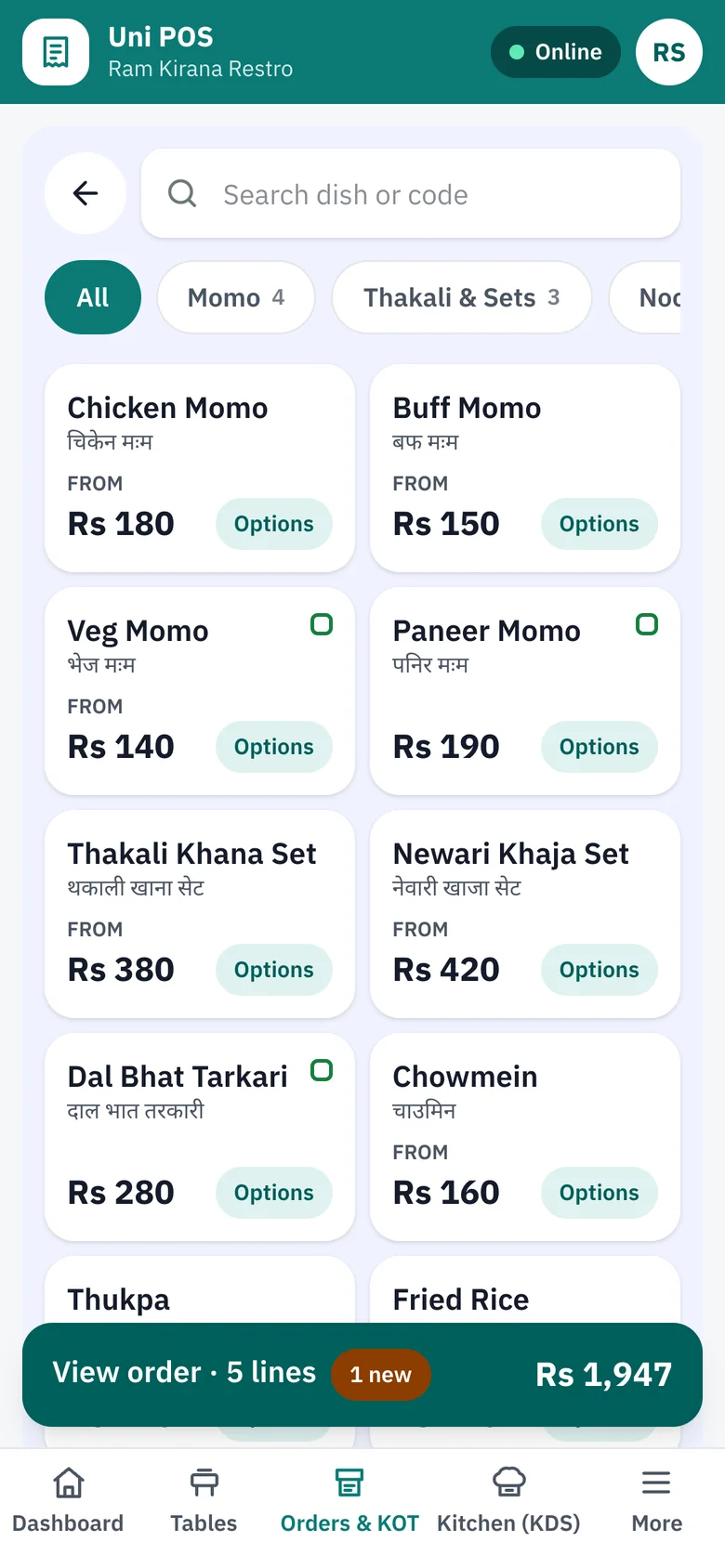
Take orders in seconds
Search or tap dishes, pick sizes and add-ons, and send them to the kitchen with one button.
-
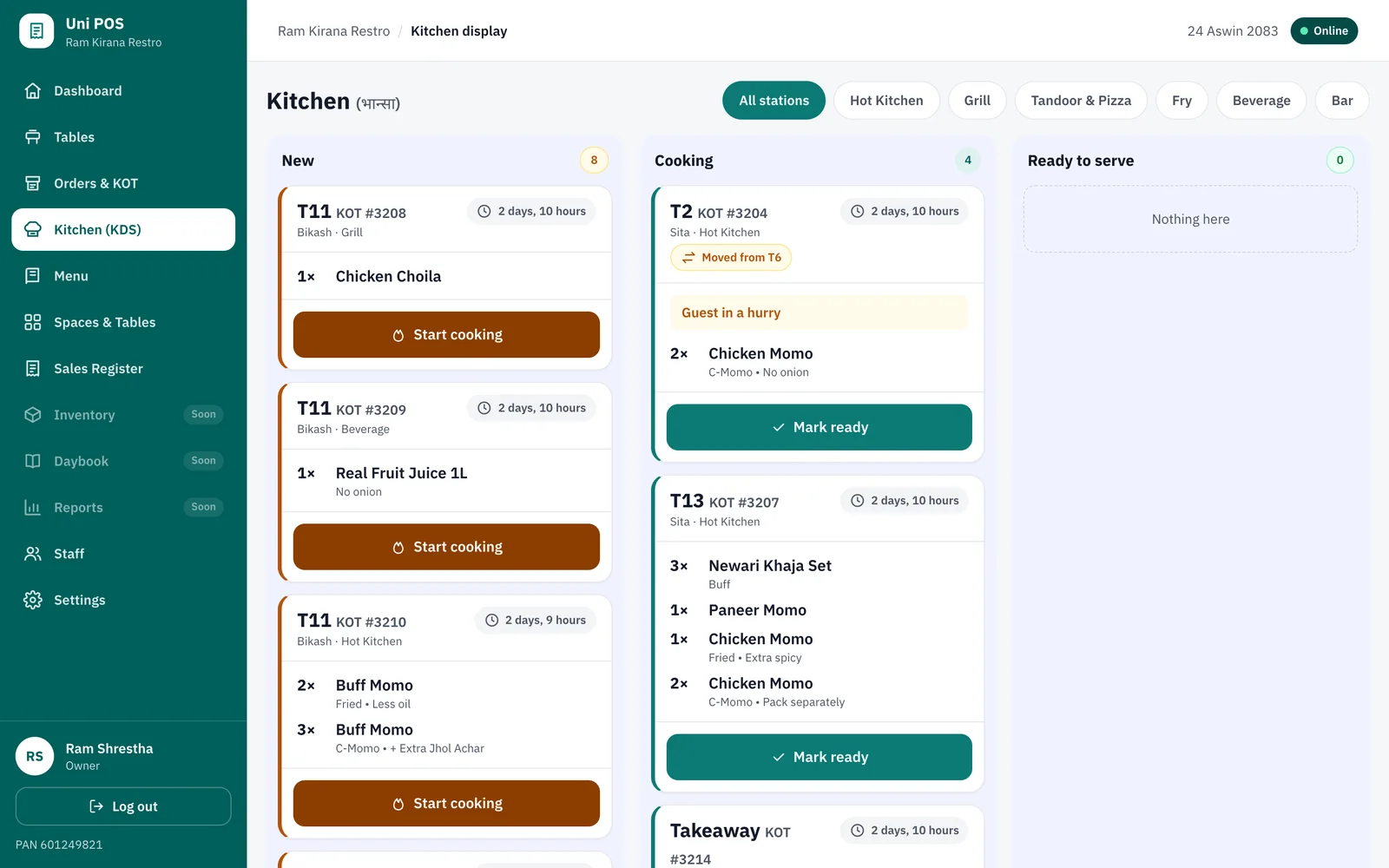
Kitchen display
Cooks move tickets from New to Cooking to Ready. Waiters see when to serve.
-
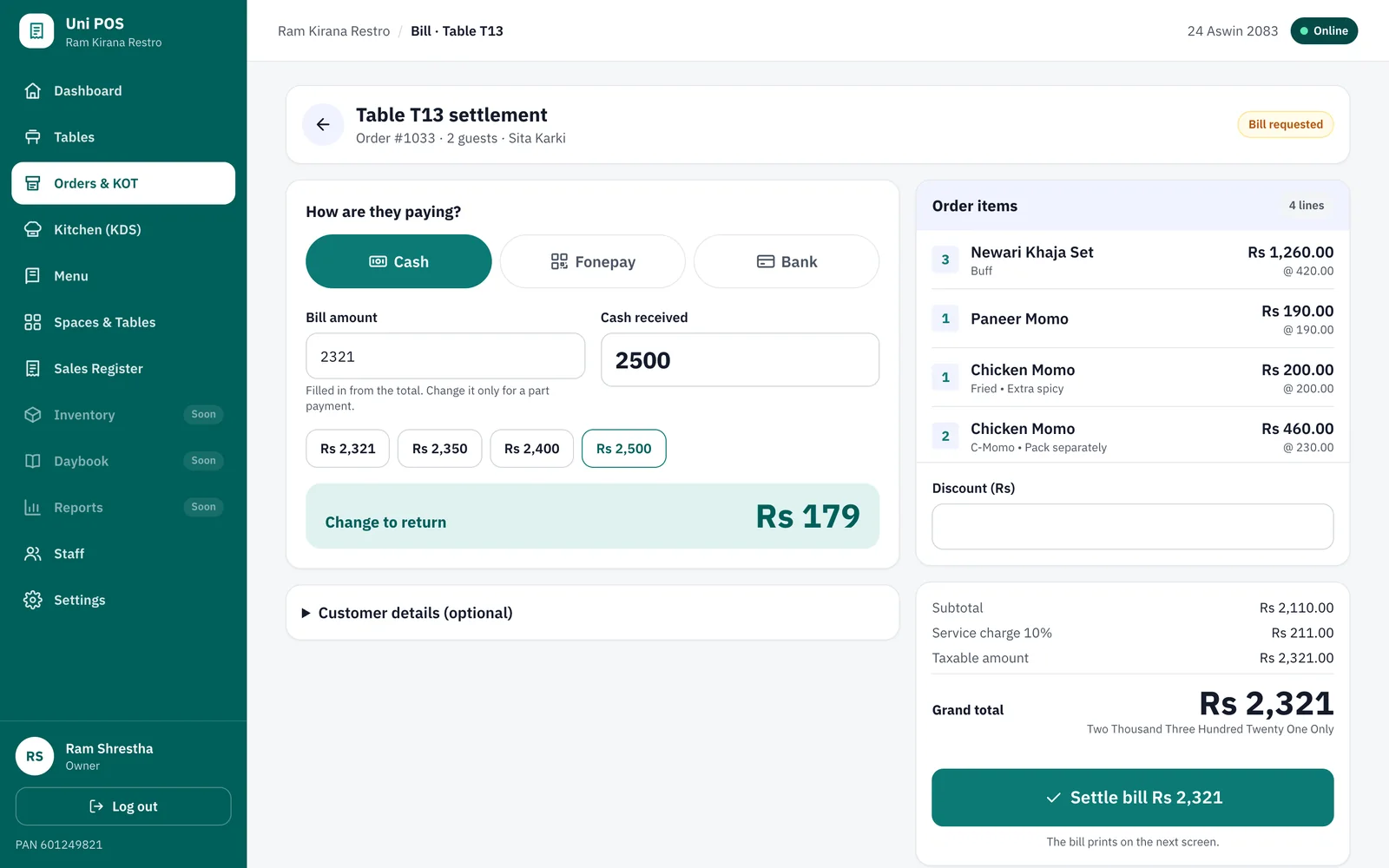
Bill and split payment
Discounts, service charge and VAT worked out. Take cash, Fonepay and card on one bill.
Pharmacy mode, live today
From the prescription to the bill
Every screen below is the real app with demo data, not a drawing.
-
Counter sale
Search by brand, generic or composition. Each line carries its batch, expiry, MRP and the dose for the patient.
-
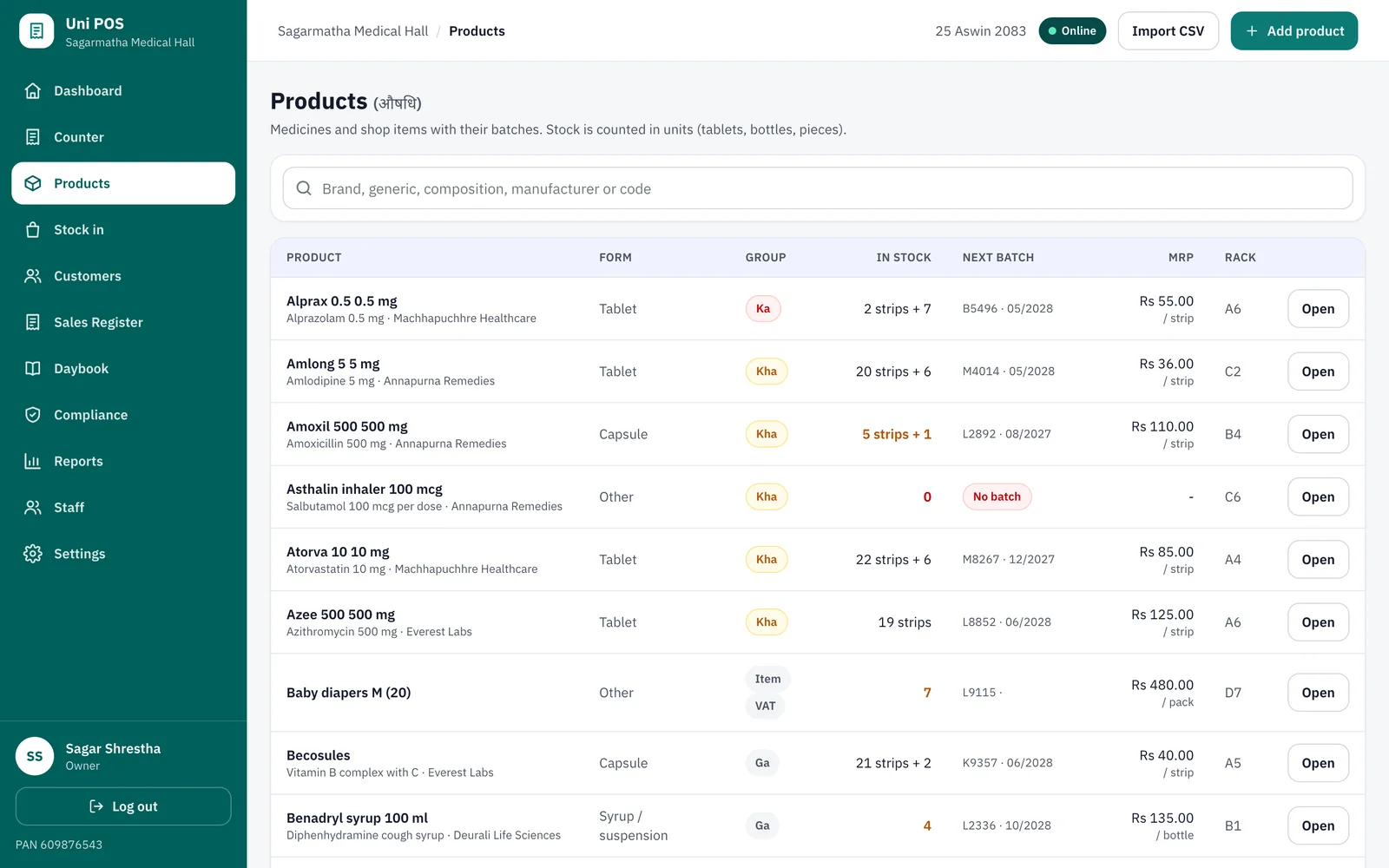
Products and batches
Stock in strips and loose units, the next batch to sell and its MRP, alternatives with the same composition.
-
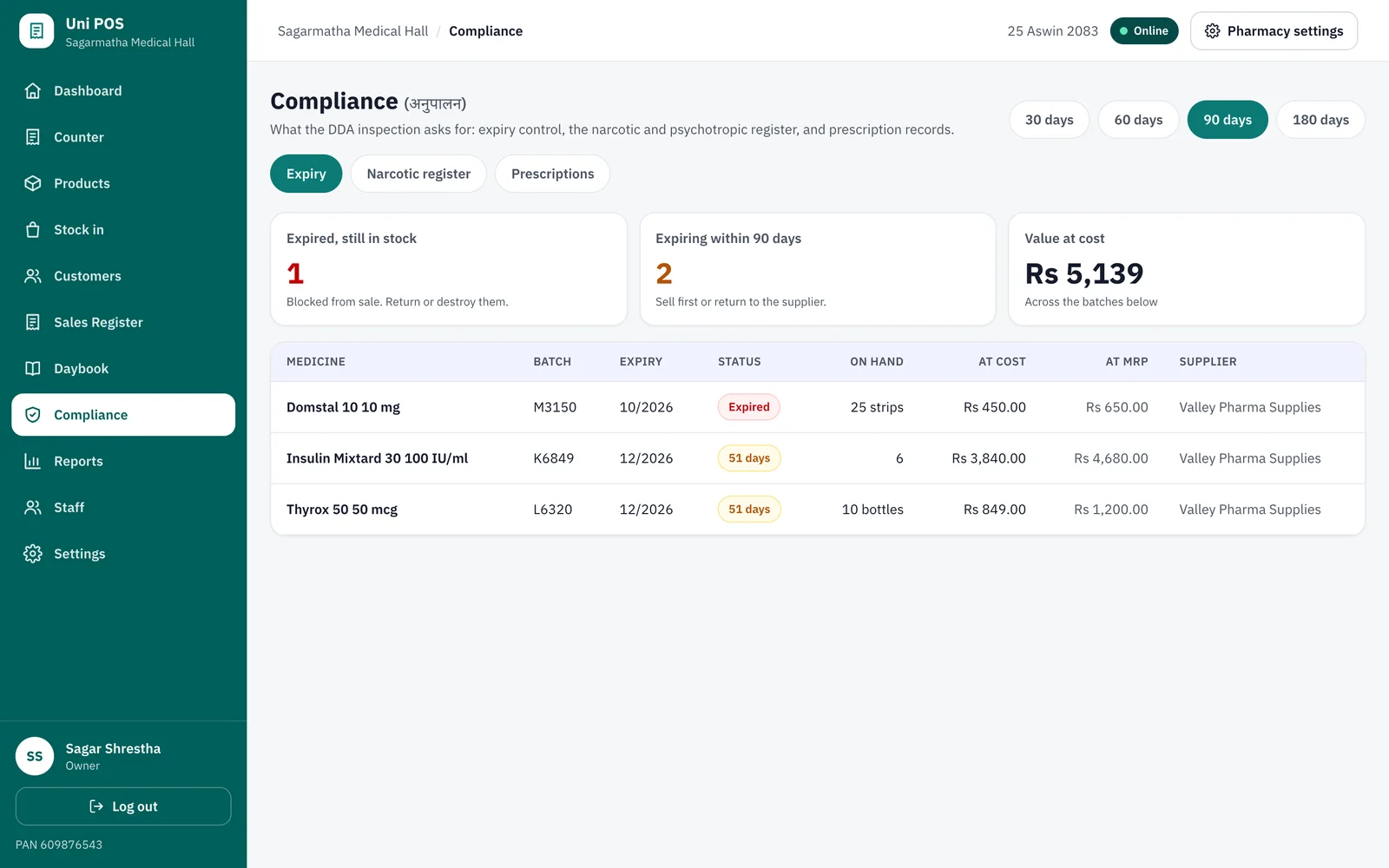
Expiry and registers
Expired and expiring batches valued at cost, the narcotic register and the prescription record.
One foundation
What every business gets
Whatever you sell, these come built in from day one.
Clear bills, honest records
Itemised estimate bills with the full tax breakdown, Bikram Sambat dates and sequential numbers. Customers who need a VAT bill collect one at your counter.
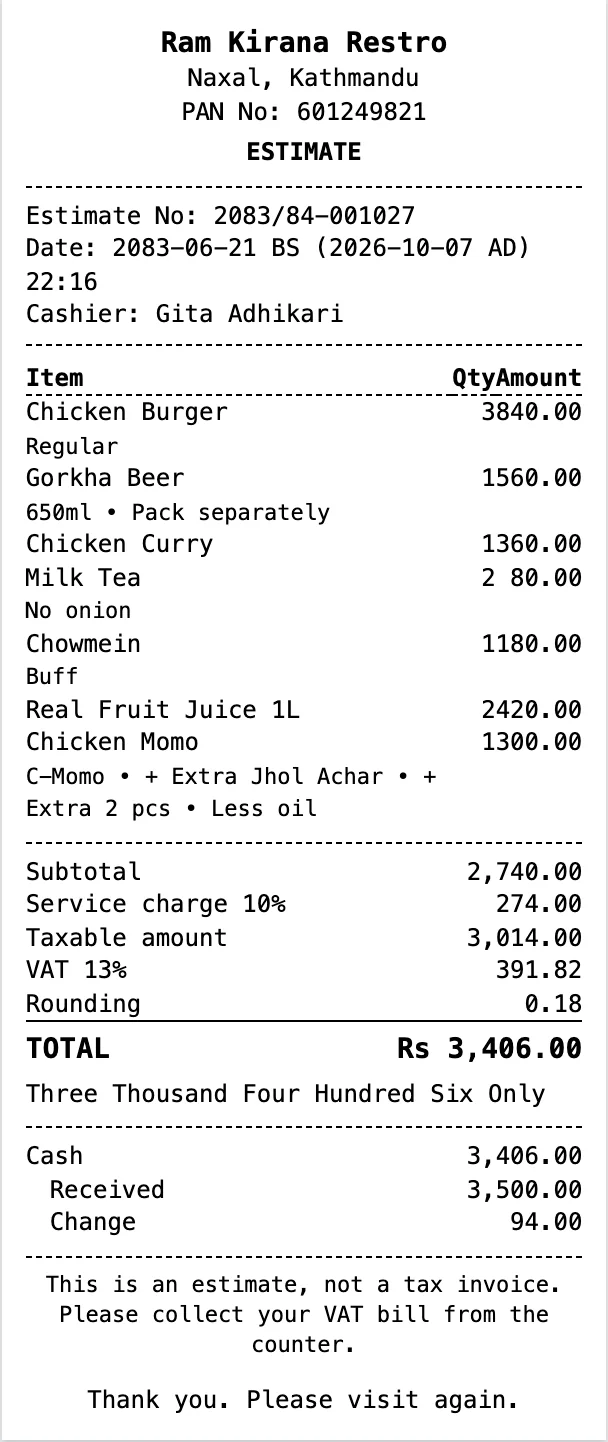
Every way to pay
Cash with change, Fonepay QR, card and customer credit. Split one bill across payments.
Staff and roles
Each person signs in with their own account and sees only what their role allows.
Reports from anywhere
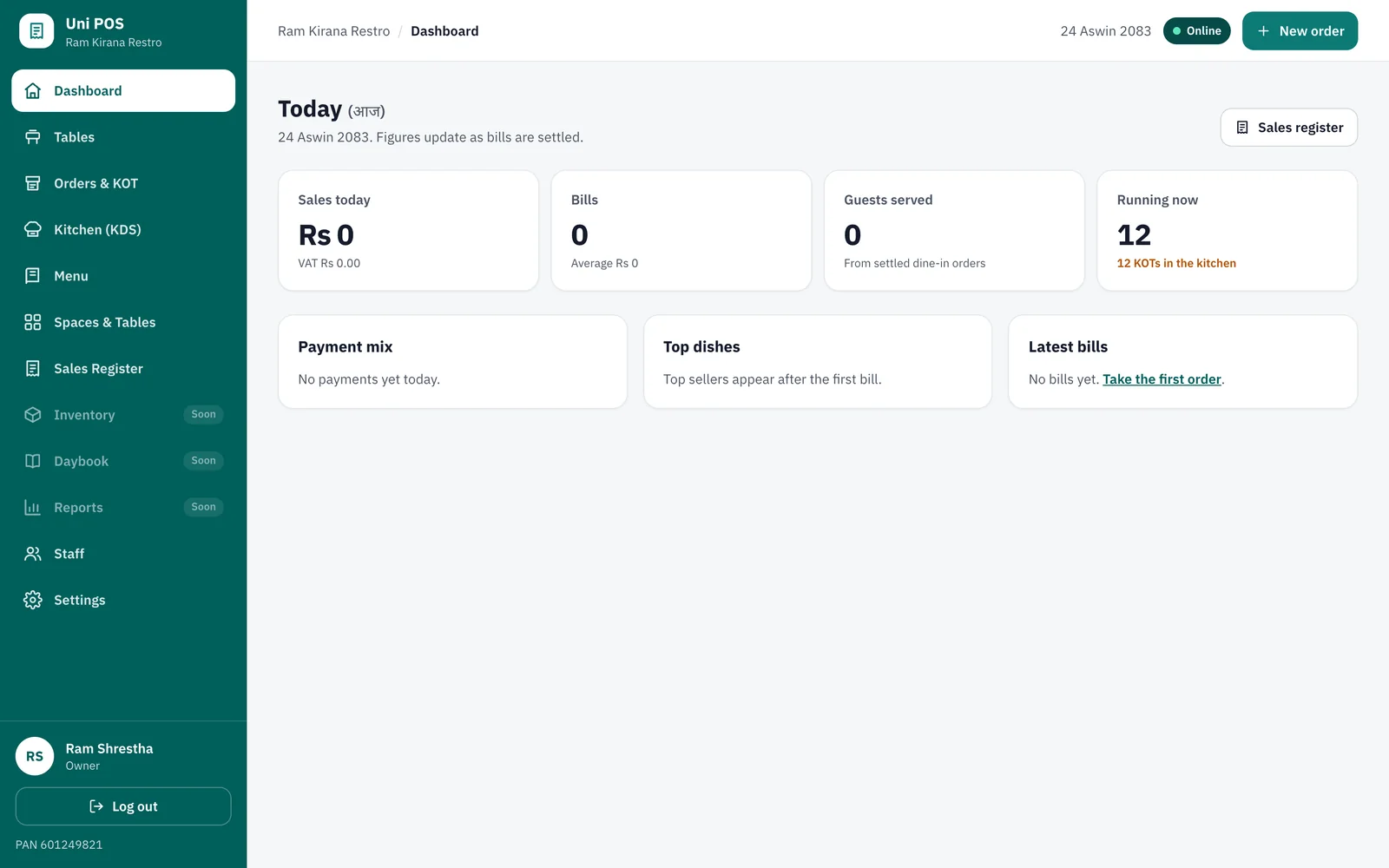
Today's sales, payment mix and a full sales register, at the counter or at home.
Any device
Runs in the browser on Android phones, tablets and computers. Nothing to install.
Your data stays yours
Every business is kept separate. Owners can add or remove access at any time.
Getting started
Up and running in three steps
We do the setup with you, so your team can start billing the same day.
-
1
Tell us about your business
Fill the short form or call us. It takes one minute.
-
2
We set it up with you
We load your items, prices and staff, and train your team on site or online.
-
3
Start billing
Use the phones, tablets or computers you already have. We stay a call away.
On every device
Use it in the browser today. Apps for Android and iPhone soon.
Uni POS already works on any phone, tablet or computer. Our apps for Google Play and the App Store add a home-screen icon and a full-screen experience for your counter.
Pricing
Simple monthly plans in rupees
The same plans for every business type. Start free, upgrade when you are ready, no long contracts.
Starter
For a small business trying things out
Free
- 1 device
- 100 bills a month
- Itemised bills with tax breakdown
- Basic reports
Business
Everything a busy counter needs
Rs 699 / month
- Unlimited bills and items
- All modules for your business type
- Fonepay, card and credit
- Staff roles, up to 2 devices
- Sales register and dashboard
Pro
For groups and multiple outlets
Rs 1,499 / month
- Several outlets
- Up to 5 devices
- Priority phone support
- Owner reports across outlets
Prices exclude VAT. Printers, scanners and setup help available on request.
FAQ
Questions owners ask us
Which businesses can use Uni POS today?
Restaurants, cafes and pharmacies can use Uni POS today. Retail shops and clinics are coming next on the same platform. Request early access and we will set you up as soon as your module is ready.
Is Uni POS IRD approved? Can it print VAT bills?
Not yet. Uni POS prints clear estimate bills with the full tax breakdown, and each one says so. When a customer needs a VAT bill, you issue it from your counter as you do today. We are working towards IRD listing and will tell every customer when tax invoices can be printed from the system.
Do I need to buy new hardware?
No. Uni POS runs in the browser on the Android phones, tablets and computers you already have. We can also suggest thermal printers and barcode scanners that work well with it.
I run more than one kind of business. Can I use one account?
Yes. One login can manage several businesses, for example a cafe and a shop, and switch between them. Each business keeps its own items, staff and bills.
How long does setup take?
Most restaurants and pharmacies are billing on the same day. We help you enter your items, tables and staff, import a medicine list from a spreadsheet, and train your team.
What does it cost?
You can start free. Paid plans are priced monthly in Nepali rupees with no long contract. Talk to us for a quote that fits your outlets.
Free demo
See Uni POS with your own business
Tell us a little about your business. We will call you, show you Uni POS with your own items and help you get started.
- We call you back within one working dayAt a time that suits your business hours
- No payment, no commitmentTry it before you decide
- Setup and training includedWe help load your items, prices and staff